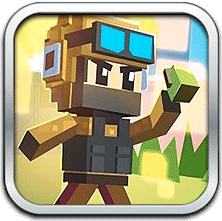
PIXEL SHOOTER















SIMILAR GAMES
































Description


Pixel Shooter - UBG For School
About Pixel Shooter - UBG For School
Pixel Shooter is an engaging online shooting game that has become a favorite pastime for many students seeking a quick and entertaining break during school hours. The game is hosted on the UBG For School platform, which offers a curated collection of browser‑based titles that are both safe and appropriate for educational environments. Players can launch their browsers, navigate to the UBG For School site, and dive straight into the fast‑paced action without the need for downloads or installations. The simplicity of the interface combined with vibrant graphics makes the experience accessible to beginners while still providing enough depth to keep seasoned gamers interested.
Gameplay Overview
In Pixel Shooter, participants assume the role of a marksman equipped with a variety of weapons that range from basic pistols to advanced laser cannons. The objective is to survive waves of enemy sprites that appear from different directions, each wave increasing in speed and complexity. Players earn points for each enemy eliminated, and these points can be used to upgrade weapons, unlock new ammunition types, or purchase temporary shields that add an extra layer of strategy. The controls are intuitive: a mouse or touchscreen is used for aiming, while keyboard keys handle movement and shooting. The game’s physics engine ensures that bullets travel in straight lines, creating a satisfying sense of precision that encourages repeated attempts to beat personal high scores.
Key Features
- Multiple Weapon Slots allowing players to switch between firearms on the fly.
- Dynamic Enemy Patterns that adapt to the player’s skill level.
- Score Multipliers that reward consecutive kills without taking damage.
- Customizable Avatars that can be unlocked through accumulated points.
- Leaderboards that display top performers within the UBG For School community.
How to Access Pixel Shooter on UBG For School
Accessing the game is straightforward. Begin by opening any modern web browser and navigating to the official UBG For School website at https://ubgforschool.gitlab.io/. Once on the homepage, locate the navigation menu and select the “Games” section. Within the Games page, use the search bar to type “Pixel Shooter” or scroll through the categories until the title appears. Clicking the thumbnail will load the game instantly in an embedded iframe, ready for immediate play. No registration is required, and the game runs directly in the browser, eliminating any compatibility issues across different school computer labs.
- Visit the UBG For School homepage.
- Navigate to the Games section.
- Search for or locate the Pixel Shooter thumbnail.
- Click the thumbnail to launch the game.
- Begin playing and enjoy the immersive shooting experience.
Tips and Strategies
Mastering Pixel Shooter involves more than just rapid firing; it requires thoughtful positioning and resource management. Players should prioritize upgrading the reload speed early on, as a faster reload allows for continuous damage output during intense waves. Additionally, focusing on enemies that cluster together can maximize the impact of area‑wide attacks, while using the shield upgrade at critical moments can prevent sudden game‑over scenarios. Observing enemy movement patterns and adjusting aim accordingly will significantly improve overall performance.
- Maintain a safe distance when facing high‑damage enemies to avoid unnecessary hits.
- Utilize power‑up zones that occasionally appear on the screen, providing temporary boosts.
- Conserve ammunition by switching to lighter weapons when the threat level is low.
Frequently Asked Questions
- What browsers are compatible with Pixel Shooter? Any modern browser such as Chrome, Firefox, Edge, or Safari will run the game without issues.
- Is there a mobile version of the game? The game is designed for desktop and tablet browsers; however, it may function on some smartphones with adjusted scaling.
- Can I share my high score? Scores are displayed on the in‑game leaderboard, and they can be shared by copying the URL from the address bar.
- Are there any age restrictions? The game is rated suitable for all ages, but it is advisable for younger students to play under supervision.
Community and Support
The UBG For School platform fosters a vibrant community where players can discuss strategies, report bugs, and suggest new features. A dedicated forum page is accessible directly from the website’s footer, and moderators are available to assist with any technical difficulties. For any inquiries related to account issues or game updates, users can reach out via the contact form located on the main site. Participation in community events often yields exclusive in‑game rewards that enhance the overall experience.
Overall, Pixel Shooter offers a compelling blend of simplicity and depth, making it an ideal choice for students looking to enjoy a quick gaming session between classes. Its integration with the UBG For School portal ensures a safe environment, while the rich feature set keeps players engaged and motivated to improve their skills.
Visit UBG For SchoolPlay Pixel Shooter for free on UBG For School, the platform with thousands of the best games. No Ads and easy to play from anywhere. Have fun with our unblocked games! Play with your keyboard or Click.